Home / Software & Plugins / Mac Apps / Softpro Lab Antivirus
 Mac app
Softpro Lab Antivirus for Mac
Softpro Lab Antivirus protects your device from viruses, ransomware, spyware and phishing with real-time scanning that stays light on battery and memory.
- Real-time protection
- Quick and full scans
- Ransomware shield
In development · macOS on Apple silicon and Intel Macs
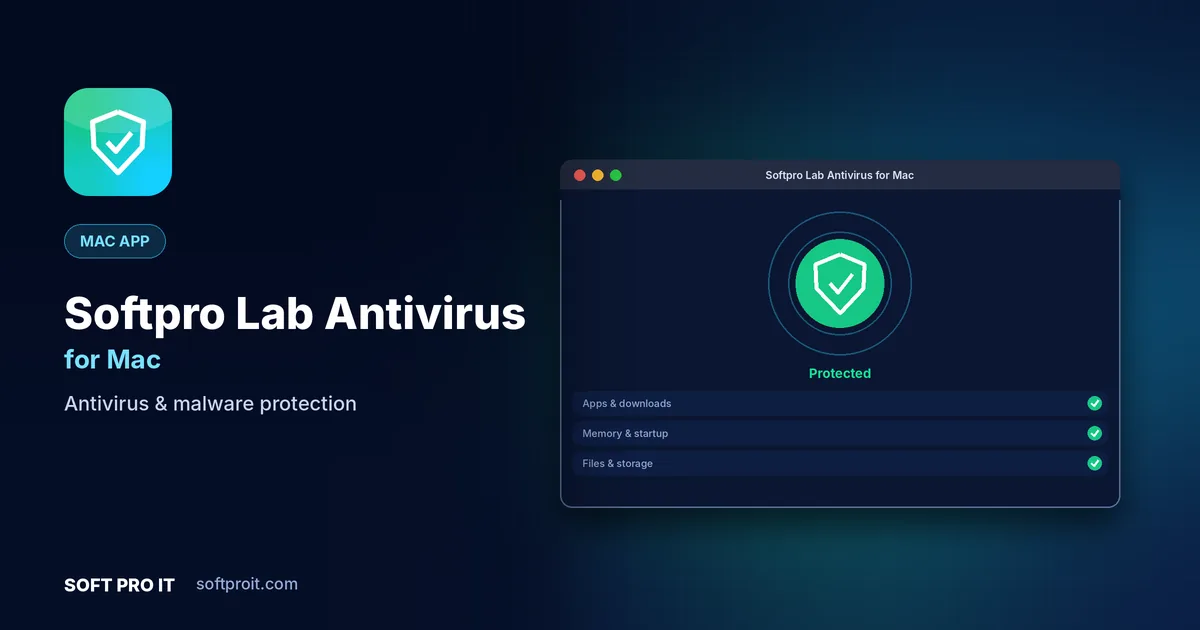
Key features of Softpro Lab Antivirus for Mac
Security software should protect you without nagging you. Softpro Lab Antivirus keeps alerts clear and rare, explains every detection in plain language and never hides essential protection behind pop-ups.
Real-time protection
Every new app, file and download is checked the moment it arrives, before it can run or spread.
Quick and full scans
Run a one-minute quick scan of the places malware hides, or a deep full scan on a schedule that suits you.
Ransomware shield
Protected folders block unknown apps from encrypting or changing your documents and photos.
Safe browsing and anti-phishing
Dangerous links and fake login pages are flagged before you enter a password or card number.
Quarantine and restore
Suspicious files are isolated safely, and anything flagged by mistake can be restored in one click.
Light on resources
Smart scheduling scans when your device is idle or charging, so games and work stay smooth.
Built for Mac
Mac users value polish and consistency. The macOS edition follows Apple's design conventions with menu bar access, native shortcuts, light and dark appearance and smooth performance on Apple silicon.
- Apple silicon and Intel Designed to run smoothly on both Apple silicon and Intel Macs.
- Menu bar access Quick actions are one click away from the macOS menu bar.
- Keyboard first Standard macOS shortcuts throughout, plus your own custom ones.
- Light and dark mode Follows your system appearance automatically.
How Softpro Lab Antivirus for Mac works
- Install and update
Install Softpro Lab Antivirus; threat definitions download automatically.
- Run your first scan
A quick scan checks running apps, downloads and startup items in about a minute.
- Stay protected
Real-time protection keeps watching in the background and alerts you only when it matters.
Softpro Lab Antivirus on other platforms
Use Softpro Lab Antivirus on all your devices. Each edition is designed for its platform.
More Mac apps from SOFT PRO IT
 Softpro BrowserFast, private web browserAd and tracker blockerTrue private browsingSmart tab groups
Softpro Browser is a fast, privacy-first web browser that blocks ads and trackers by default, keeps your tabs organised and loads pages quickly, even on slow connections.
View Mac app TimesFit Reminder ProSmart reminders & habit trackerFlexible repeating remindersHealth and habit remindersSmart snooze
TimesFit Reminder Pro is a smart reminder and habit tracker that helps you drink water, take breaks, take medicine on time and never miss a meeting or a bill.
View Mac app Personal AccountsExpense tracker & budget plannerFast income and expense entryMultiple accounts and walletsBudgets with alerts
Personal Accounts is a simple personal finance app for tracking income and expenses, planning budgets and seeing exactly where your money goes each month.
View Mac app Soft Pro FTP ClientFTP, SFTP & FTPS file transferFTP, FTPS and SFTPDual-pane drag and dropResumable transfer queue
Soft Pro FTP Client is a fast, secure file transfer app for FTP, FTPS and SFTP, with a dual-pane layout, drag and drop and a resumable transfer queue for web developers and IT teams.
View Mac app Soft Pro Smart Terminal & SSHSmart terminal & SSH clientSSH with keys and agentsTabs and split panesSaved hosts and groups
Soft Pro Smart Terminal & SSH is a modern terminal and SSH client with tabs, split panes, saved hosts and smart command suggestions for developers and system administrators.
View Mac appSoftpro Lab Antivirus for Mac: frequently asked questions
What does Softpro Lab Antivirus protect against?
Viruses, trojans, ransomware, spyware, adware and phishing websites, using real-time scanning and regularly updated threat definitions.
Will an antivirus slow my device down?
Softpro Lab Antivirus is designed to be lightweight. Heavy scans are scheduled for when your device is idle or charging.
What happens when a threat is found?
The file is moved to quarantine, where it cannot run. You can delete it permanently or restore it if you trust it.
Does it run on Apple silicon Macs?
Yes. Our Mac apps are designed for macOS on both Apple silicon (M-series) and Intel Macs.
When will Softpro Lab Antivirus for Mac be available?
Softpro Lab Antivirus for Mac is currently in development. Request early access and we will tell you as soon as it is ready to download.
Get Softpro Lab Antivirus for Mac first
Request early access and we will send you a download link as soon as Softpro Lab Antivirus for Mac is ready. Need something similar built for your business? Our team can build it with you through our Software Development service.