Home / Software & Plugins / Mac Apps / Personal Accounts
 Mac app
Personal Accounts for Mac
Personal Accounts is a simple personal finance app for tracking income and expenses, planning budgets and seeing exactly where your money goes each month.
- Fast income and expense entry
- Multiple accounts and wallets
- Budgets with alerts
In development · macOS on Apple silicon and Intel Macs
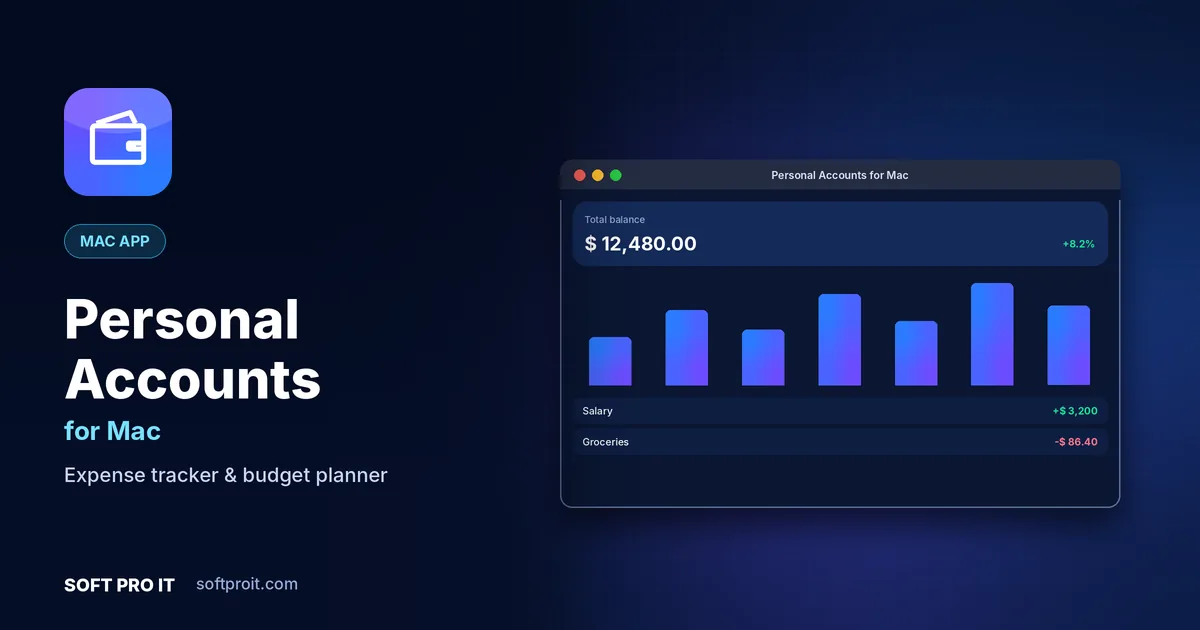
Key features of Personal Accounts for Mac
Spreadsheets are powerful but tedious on the go. Personal Accounts gives you the clarity of a spreadsheet with the speed of a phone app, and it supports any currency.
Fast income and expense entry
Add a transaction in seconds with smart categories, notes and recurring entries for rent, salary and bills.
Multiple accounts and wallets
Track cash, bank accounts, cards and mobile wallets separately, with transfers between them.
Budgets with alerts
Set monthly budgets per category and get a warning before you overspend.
Clear reports and charts
Monthly summaries, category pie charts and trends show your spending habits at a glance.
Export to CSV and PDF
Export statements for your records, your accountant or a spreadsheet in one tap.
PIN and biometric lock
Keep your financial records private with a PIN, fingerprint or face unlock.
Built for Mac
Mac users value polish and consistency. The macOS edition follows Apple's design conventions with menu bar access, native shortcuts, light and dark appearance and smooth performance on Apple silicon.
- Apple silicon and Intel Designed to run smoothly on both Apple silicon and Intel Macs.
- Menu bar access Quick actions are one click away from the macOS menu bar.
- Keyboard first Standard macOS shortcuts throughout, plus your own custom ones.
- Light and dark mode Follows your system appearance automatically.
How Personal Accounts for Mac works
- Add your accounts
Enter your cash, bank and card balances to start from today.
- Record transactions
Log income and expenses as they happen, or set recurring ones once.
- Review and plan
Check monthly reports and adjust budgets so you save more each month.
Personal Accounts on other platforms
Use Personal Accounts on all your devices. Each edition is designed for its platform.
More Mac apps from SOFT PRO IT
 Softpro BrowserFast, private web browserAd and tracker blockerTrue private browsingSmart tab groups
Softpro Browser is a fast, privacy-first web browser that blocks ads and trackers by default, keeps your tabs organised and loads pages quickly, even on slow connections.
View Mac app Softpro Lab AntivirusAntivirus & malware protectionReal-time protectionQuick and full scansRansomware shield
Softpro Lab Antivirus protects your device from viruses, ransomware, spyware and phishing with real-time scanning that stays light on battery and memory.
View Mac app TimesFit Reminder ProSmart reminders & habit trackerFlexible repeating remindersHealth and habit remindersSmart snooze
TimesFit Reminder Pro is a smart reminder and habit tracker that helps you drink water, take breaks, take medicine on time and never miss a meeting or a bill.
View Mac app Soft Pro FTP ClientFTP, SFTP & FTPS file transferFTP, FTPS and SFTPDual-pane drag and dropResumable transfer queue
Soft Pro FTP Client is a fast, secure file transfer app for FTP, FTPS and SFTP, with a dual-pane layout, drag and drop and a resumable transfer queue for web developers and IT teams.
View Mac app Soft Pro Smart Terminal & SSHSmart terminal & SSH clientSSH with keys and agentsTabs and split panesSaved hosts and groups
Soft Pro Smart Terminal & SSH is a modern terminal and SSH client with tabs, split panes, saved hosts and smart command suggestions for developers and system administrators.
View Mac appPersonal Accounts for Mac: frequently asked questions
Does Personal Accounts connect to my bank?
No bank login is needed. You record transactions yourself, which keeps your banking credentials private.
Can I use more than one currency?
Yes. Each account can have its own currency, which is useful for travel and freelancers paid in foreign currency.
Can I back up my data?
Yes. You can export a backup file and restore it on the same or a new device.
Does it run on Apple silicon Macs?
Yes. Our Mac apps are designed for macOS on both Apple silicon (M-series) and Intel Macs.
When will Personal Accounts for Mac be available?
Personal Accounts for Mac is currently in development. Request early access and we will tell you as soon as it is ready to download.
Get Personal Accounts for Mac first
Request early access and we will send you a download link as soon as Personal Accounts for Mac is ready. Need something similar built for your business? Our team can build it with you through our Software Development service.