Home / Software & Plugins / WordPress Plugins / Auto Thumbnail Generator
 WordPress plugin
Auto Thumbnail Generator for WordPress
Auto Thumbnail Generator creates a branded featured image for every WordPress post automatically, using the post title, your colours and your logo, so no post is ever published without a thumbnail.
- Automatic on publish
- Brand templates
- Bulk generate for old posts
In development · WordPress website (self-hosted)
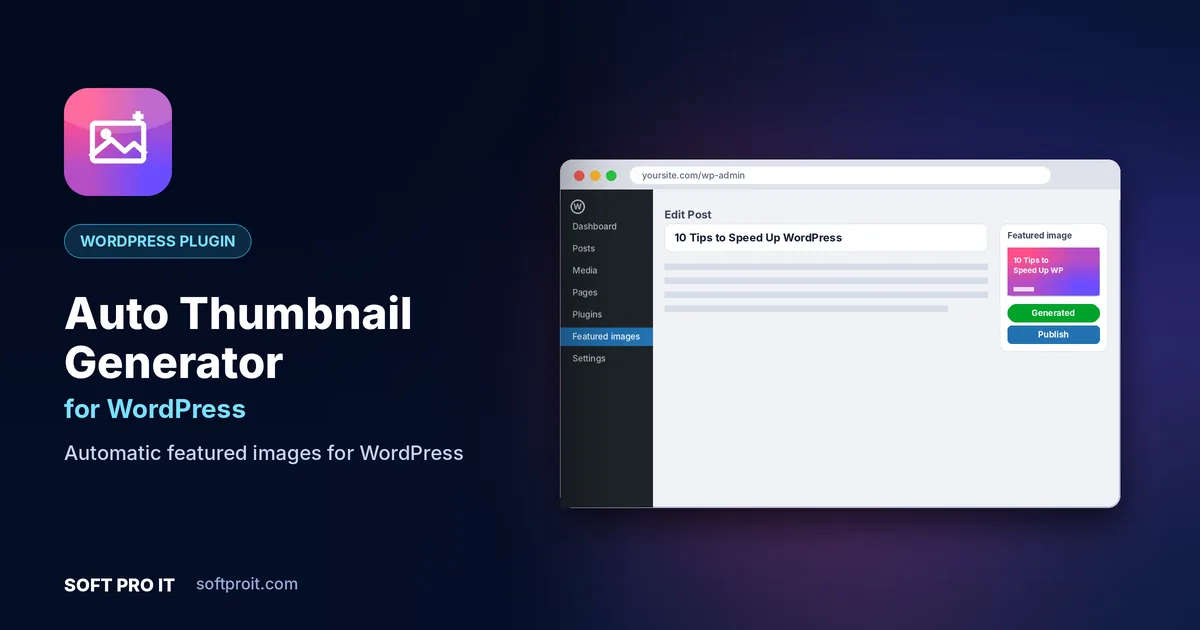
Key features of Auto Thumbnail Generator for WordPress
Posts without a featured image look broken in blog grids and share poorly on social media. Auto Thumbnail Generator fixes that for good while keeping every image on-brand.
Automatic on publish
A featured image is generated the moment a post without one is saved or published.
Brand templates
Design templates with your fonts, colours, logo and background images, then reuse them across the site.
Bulk generate for old posts
Create thumbnails for hundreds of existing posts in one background job.
Social share sizes
Outputs a 1200×630 Open Graph image so links look great on Facebook, LinkedIn and X.
WebP output and alt text
Lightweight WebP files with alt text taken from the title help both page speed and image SEO.
Posts, pages and custom post types
Works with any post type, with different templates per category or post type.
Built for WordPress
WordPress powers a huge share of the web, and small automations save site owners hours every week. Our plugins follow WordPress coding standards, load assets only where they are needed and are kept compatible with current WordPress releases.
- Lightweight and fast Assets load only on the screens that need them, keeping your front end fast.
- Secure by design Nonces, capability checks and escaped output follow WordPress security guidelines.
- Theme and builder friendly Works with block themes, classic themes and popular page builders.
- Made for agencies Settings export and multisite-aware options make rollout across client sites easy.
How Auto Thumbnail Generator for WordPress works
- Install the plugin
Upload and activate Auto Thumbnail Generator from your WordPress dashboard.
- Design a template
Pick a layout, add your logo and brand colours and preview it on a real post.
- Publish as usual
Every new post gets its featured image automatically; old posts can be filled in bulk.
More WordPress plugins from SOFT PRO IT
 Auto PosterAuto-share WordPress posts to social mediaPublish everywhere at onceScheduling queueMessage templates
Auto Poster shares your WordPress posts to your social media pages and channels automatically when you publish, with scheduling, custom messages and evergreen reposting.
View WordPress plugin HookerWordPress hooks & snippets managerHook explorerSnippets on any hookEnable, disable and prioritise
Hooker is a WordPress hooks manager that lets you browse every action and filter on your site and attach your own code snippets to them safely, without editing theme or plugin files.
View WordPress plugin White Label StudioWhite-label WordPress admin brandingBranded login pageAdmin logo and colour schemeHide WordPress branding
White Label Studio rebrands the WordPress dashboard with your agency or client brand: custom login page, logo, colours and a clean admin menu that shows clients only what they need.
View WordPress pluginAuto Thumbnail Generator for WordPress: frequently asked questions
Will it replace featured images I already set?
No. By default it only creates images for posts that do not have a featured image. Overwriting is an option you can switch on.
Does it slow down my website?
Images are generated once when the post is saved and served as normal, lightweight WebP files.
Can I use different designs per category?
Yes. Assign a template to each category or post type.
Will these plugins work with my theme?
They are built with standard WordPress APIs, so they work with well-coded themes, block themes and popular page builders.
When will Auto Thumbnail Generator for WordPress be available?
Auto Thumbnail Generator for WordPress is currently in development. Request early access and we will tell you as soon as it is ready to download.
Get Auto Thumbnail Generator for WordPress first
Request early access and we will send you a download link as soon as Auto Thumbnail Generator for WordPress is ready. Need something similar built for your business? Our team can build it with you through our Web Application Development service.