Shutdown
Turn the PC off after a long download, at bedtime, or when the office closes.
- Runs once, at a set time, or every day
- Optional warning so you can cancel
Free shutdown scheduler for Windows
PC Scheduler is a free shutdown timer and task scheduler for Windows. Tell it what should happen and when. It counts down, warns you before it acts, and keeps every task in one tidy list you can pause, run early or delete.
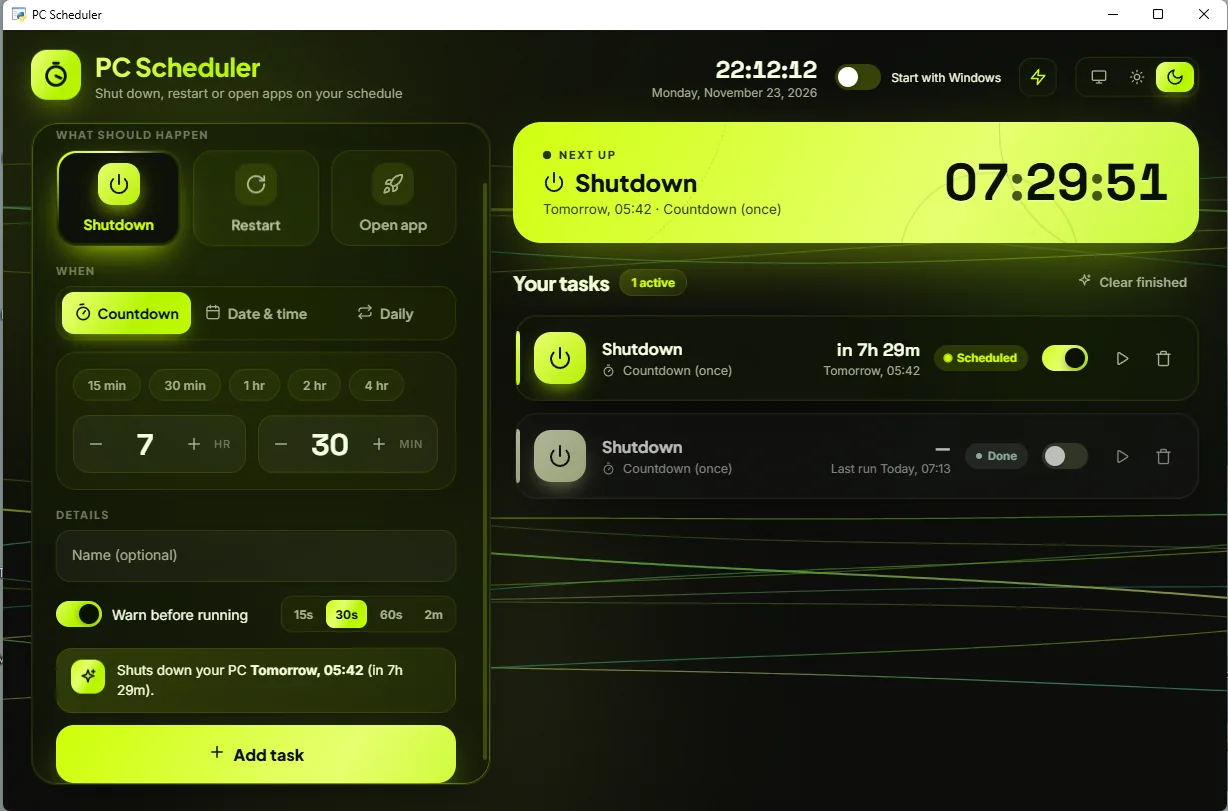
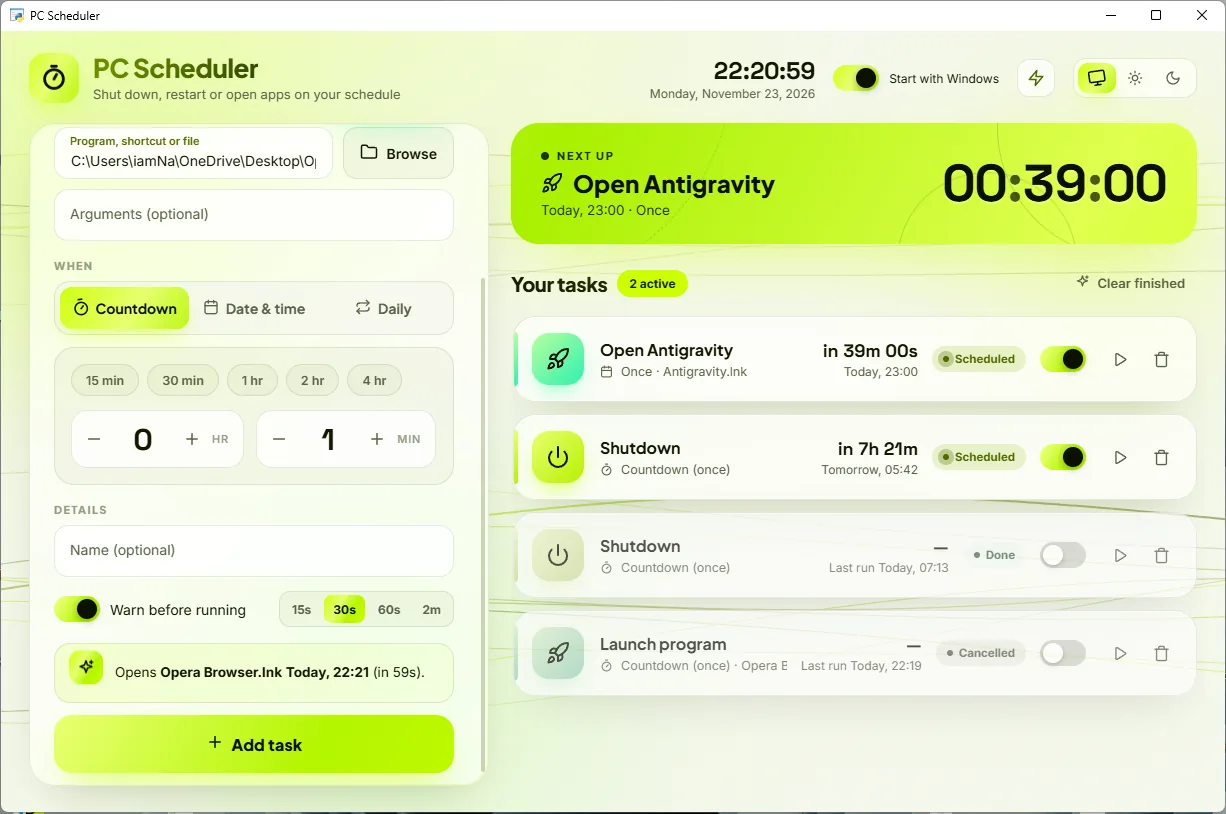
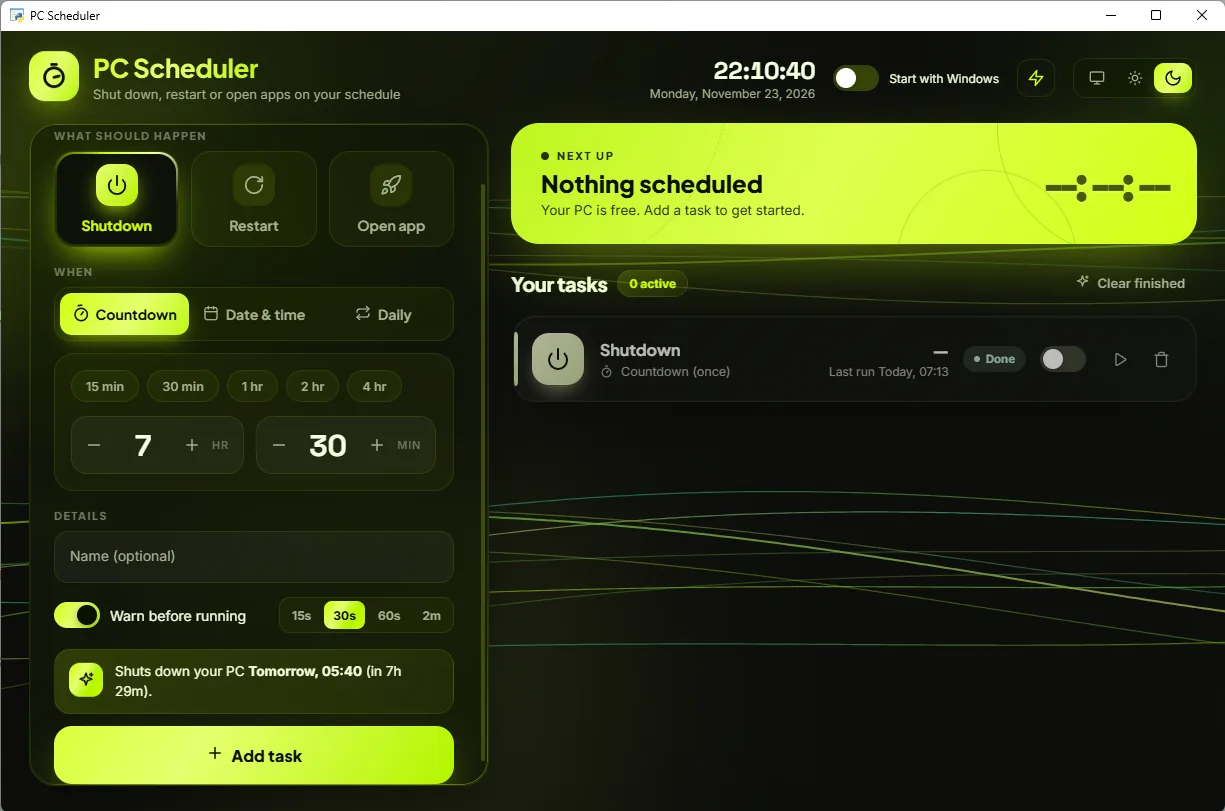
One window does it all: build a task on the left, watch it on the right. Switch the theme at the top to see both looks.
Forty seconds in the real app: a nightly shutdown on weekdays, a restart after updates, Chrome opening tomorrow morning, a theme switch, and the warning that gives you the last word.
Pick the action at the top of the New task panel. Everything below it adapts to what you chose.
Turn the PC off after a long download, at bedtime, or when the office closes.
Schedule the reboot that updates keep asking for, at an hour when nobody is at the desk.
Launch any program, shortcut or file on time. Point it at an .exe, a .lnk shortcut or a document.
"In two hours", "Friday at 23:00" and "every night" are three different ideas. PC Scheduler has a mode for each.
Run the task after a set amount of time. Tap a preset, or fine-tune hours and minutes with the + and – steppers.
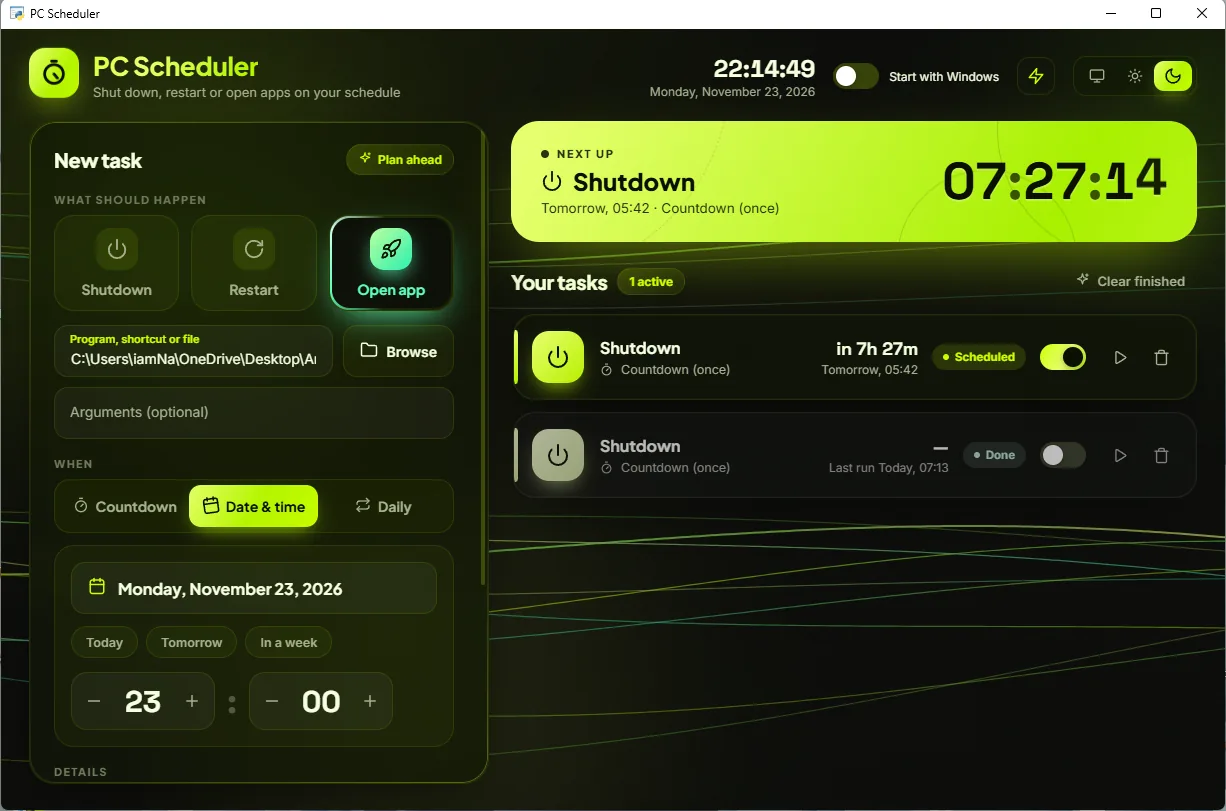
Pick a day from the calendar or use a shortcut, then set the hour and minute. Good for one-off plans further ahead.
Set a time once and pick the days. A nightly shutdown on weekdays or a weekend app launch repeats on its own, without re-creating it.
Tap the days to try it. After each run, the task moves to the next chosen day.
A working copy of the app, in your browser. Add a task, flip its toggle, hit run now and watch the warning. Nothing touches your computer.
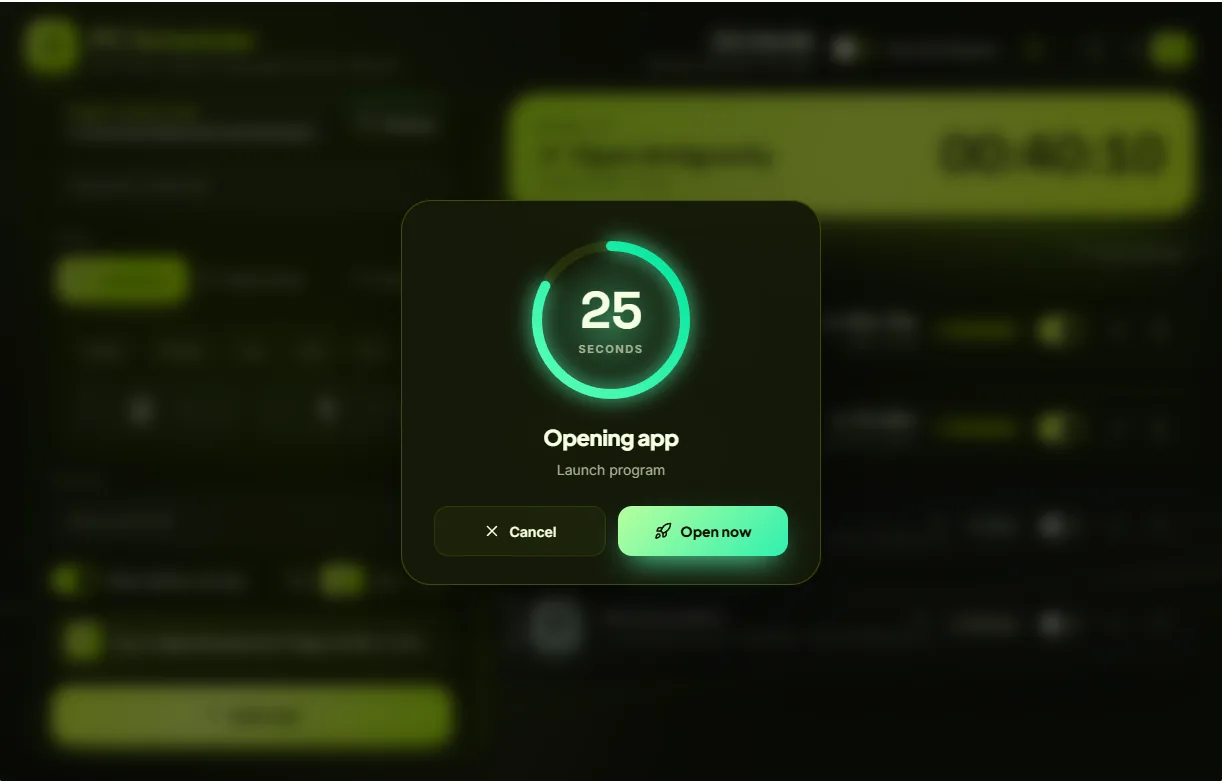
Turn on the warning and PC Scheduler shows a countdown ring before it acts. You get a clear choice instead of a surprise.
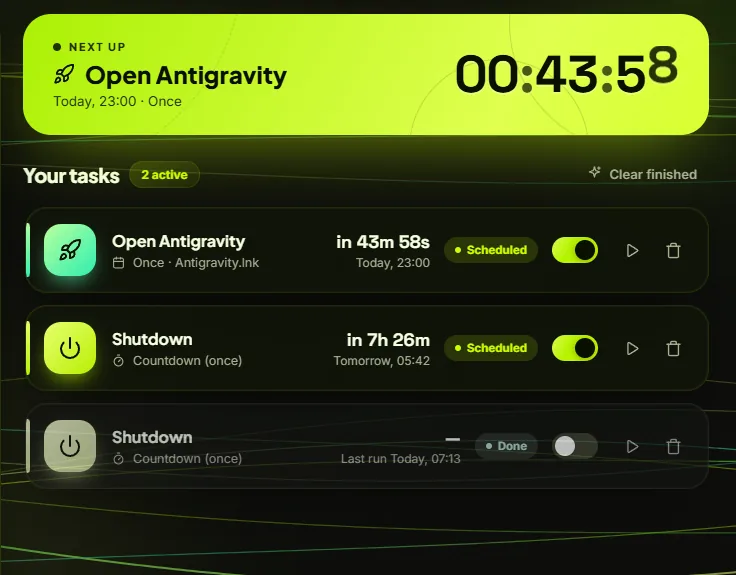
Each row shows what will happen, how it was scheduled, and exactly how long is left. The Next Up card always tracks the closest one.
One switch in the header opens PC Scheduler when you sign in, so your schedule is ready after every restart.
The current time and full date sit in the header, so you always see how a schedule lines up with now.
Follow Windows automatically or pick a theme. Both keep the same glassy lime look.
Before you press Add task, one sentence spells out what will happen, on which day, at what time, and how far away it is.
Jump straight into planning a task for later, with Today, Tomorrow and In a week shortcuts.
Give a task an optional name. Finished tasks show when they last ran, like "Last run Today, 07:13".
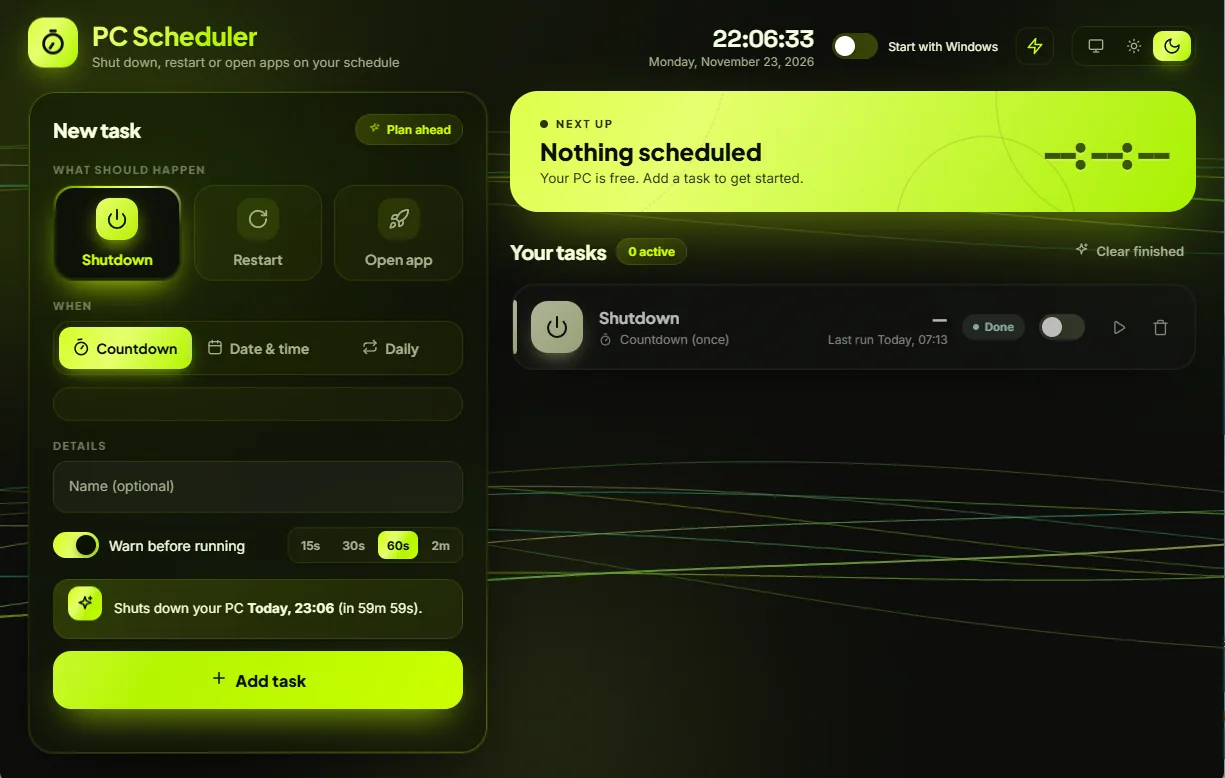
No command line and no Task Scheduler setup. The same steps work for a restart or for opening an app.
Choose Shutdown, Restart or Open app at the top of the New task panel.
Set a countdown, pick a date and time, or make it Daily on the days you want.
Turn on the warning if you like, press Add task, and watch the countdown in Next Up.
Yes. PC Scheduler is free to download and use on Windows 10 and Windows 11.
Open PC Scheduler, choose Shutdown, pick Countdown, Date & time or Daily, set the time and press Add task. The Next Up card shows a live countdown until your PC turns off.
Yes. Choose Daily, set the time, then pick the days: Every day, Weekdays, Weekends or any days you like. The task repeats on its own.
For these jobs, yes. Instead of typing shutdown /s /t 3600 or building a trigger in Windows Task Scheduler, you pick an action and a time and watch a live countdown, with a warning you can cancel.
Turn on "Warn before running". A countdown popup appears with Cancel and Run now, so you can stop it or let it go ahead.
Yes. Flip the toggle on the task row. The task stays in the list and you can switch it back on later.
Yes. In Open app mode, choose a program, shortcut or file with Browse, then add any command-line options in the Arguments field.
Turn on Start with Windows so PC Scheduler opens when you sign in. Your tasks stay in the list and pick up their schedule again.
Click Clear finished above the list to remove every Done and Cancelled task at once, or use the trash button on a single row.
PC Scheduler for Windows 10 and 11. Free to download.
Shutdown